We use cookies to make this site work. We'd also like to set optional cookies so we can understand how the site is used and improve it. We will not set optional cookies unless you accept them. You can change your choice at any time from the Cookie settings link in the footer.
Strictly necessary cookies
These cookies are required for the site to work. They store your cookie preferences and keep your session secure. They are exempt from consent under PECR Regulation 6(4) because they are essential to deliver the service you have requested.
Optional cookies
Optional cookies help us understand how the site is used and provide additional features such as analytics, accessibility tools and translation. We will only set them if you accept.

The NHS App
The NHS App
Redgate Medical Centre would like to invite you to use The NHS App
Owned and run by the NHS, the NHS App is a simple and secure way to contact your GP and access a range of NHS services on your smartphone or tablet.
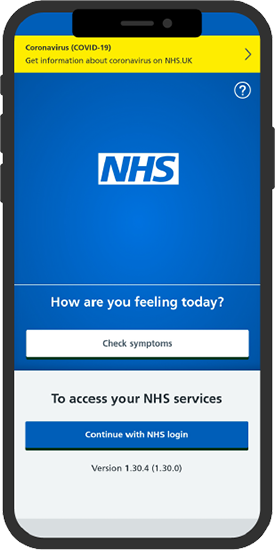
How to Register With The NHS App
Step 1: Download the NHS App
-
Go to the App Store (iOS) or Google Play Store (Android).
-
Search for "NHS App".
-
Tap Download or Install.
Step 2: Open the NHS App
-
Once installed, open the app.
-
Tap "Continue" on the welcome screen.
Step 3: Create or log in to your NHS account
-
Tap "Create an account" if you are new to the NHS App.
-
Enter your email address and create a password.
-
Agree to the terms and conditions.
-
Tap "Continue".
-
If you already have an NHS login, enter your email and password, then tap "Sign in".
Step 4: Verify your identity
-
Enter your NHS number (if you know it) or your personal details (name, date of birth, and postcode).
-
Follow the instructions to verify your identity:
-
Use your photo ID (e.g., driving license, passport, or national ID card).
-
You may be asked to record a short video for identification.
Step 5: Connect to your GP Surgery
-
Enter your GP surgery details (you may need to search for your GP practice).
-
Confirm your registration with your GP surgery.
How to prove who you are without sending a photo of your ID
Step 1: Sign up for Online Services via your GP Surgery
-
Visit your GP surgery’s website.
-
Find and register for online services.
Step 2: Enter registration details from your GP
-
Use the registration details provided by your GP surgery (e.g., linkage key, account ID, and ODS code).
Step 3: Verify your personal information
-
Enter your full name, date of birth, and postcode.
-
Provide your NHS number if requested.
Step 4: Confirm your identity via security questions
-
Answer security questions based on your GP records (e.g., recent prescriptions or appointments).
Step 5: Access NHS services
Once verified, you can:
-
Book GP appointments
-
Order repeat prescriptions
-
View your medical records
Need Help?
Visit the NHS App help and support page for further assistance.